Registration
Patients register themselves in Hindi or English, by voice, typing or touch.


An OPD queue management system organises patients from registration to the doctor's room. Ekaay.AI Reception does it with a self-registration kiosk, a token for a doctor chosen by live waiting time, the Token TV in the waiting hall and a one-button call for doctors, while your staff see the day's patients at a glance.
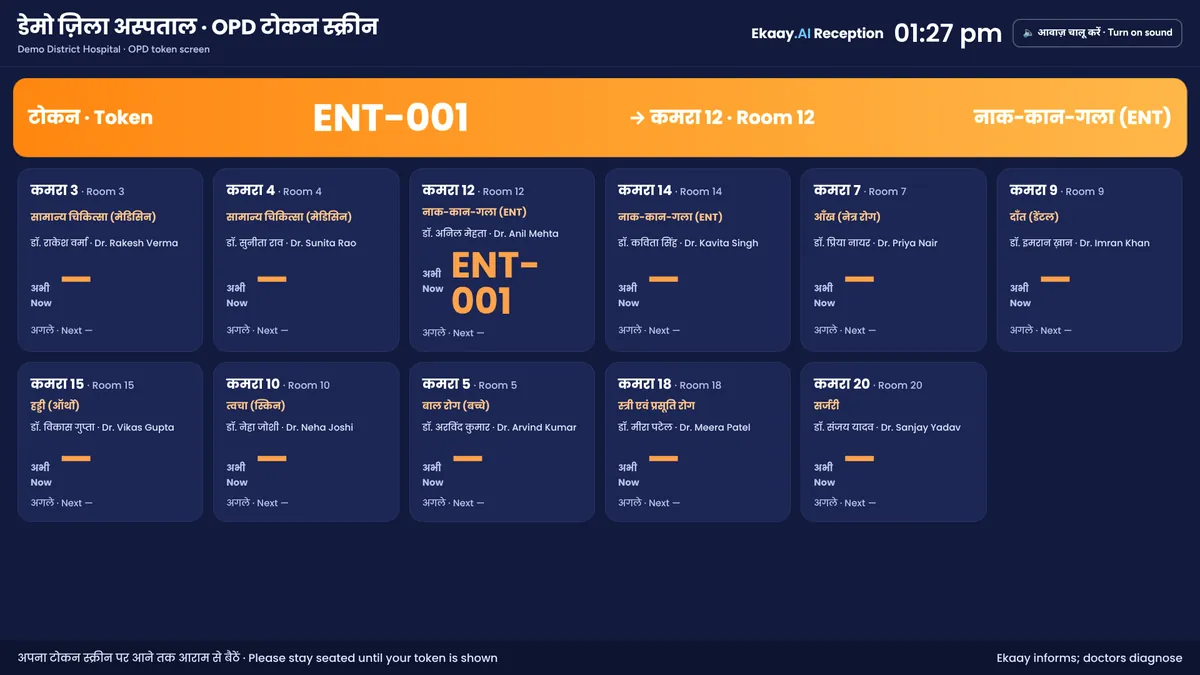 Demo data
Registration moves to a kiosk that talks to patients in Hindi or English, and the queue outside the rooms runs on tokens, the Token TV and each doctor's screen. Ekaay informs; doctors decide.
Patients register themselves in Hindi or English, by voice, typing or touch.
Ekaay suggests the department from the patient's own words, and the patient can choose another.
Patients choose a doctor by live waiting time, which spreads them across the department.
The kiosk prints a token sticker with the room and doctor for the OPD booklet.
The Token TV in the waiting hall shows every room's token and announces the next one.
Each doctor sees their queue and calls the next patient with one button.
Emergency words, such as chest pain, alert the staff at once.
The day's OPD register, and every patient and report, searchable.
The kiosk app's staff side, with demo data.
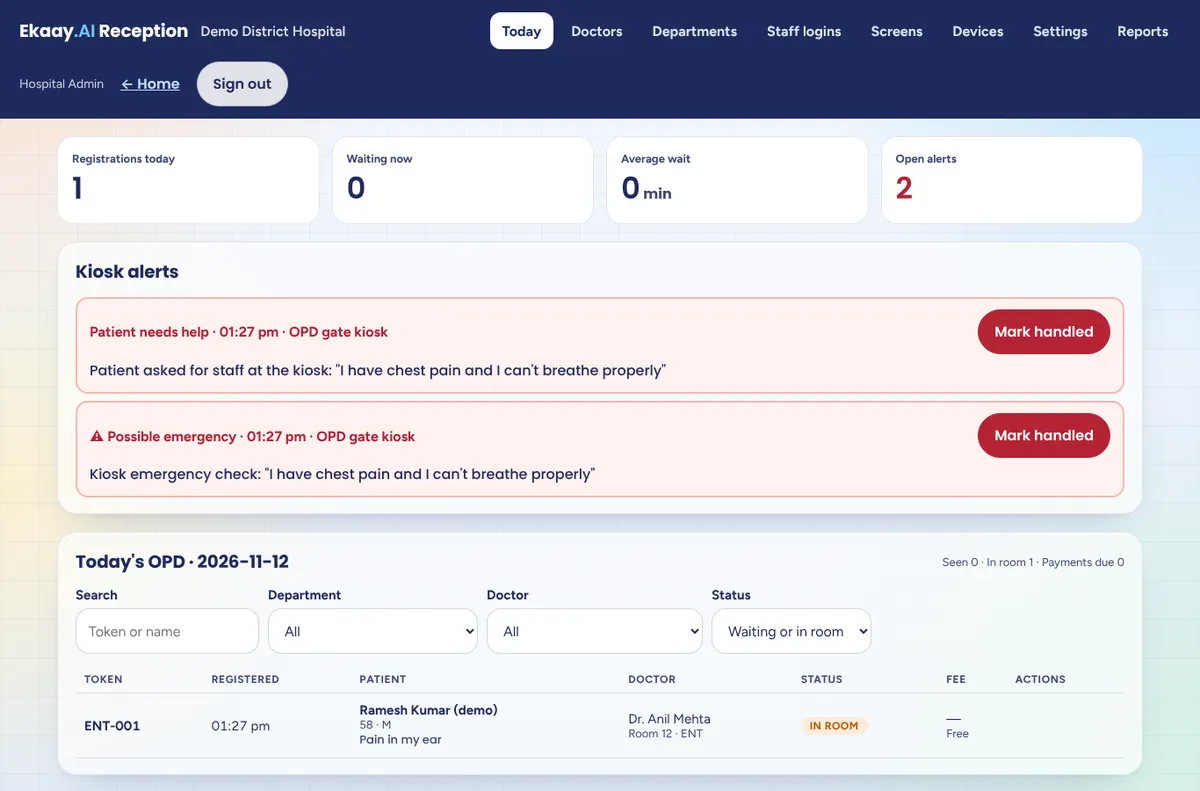 Demo data
Today: registrations, kiosk alerts and the OPD register, live.
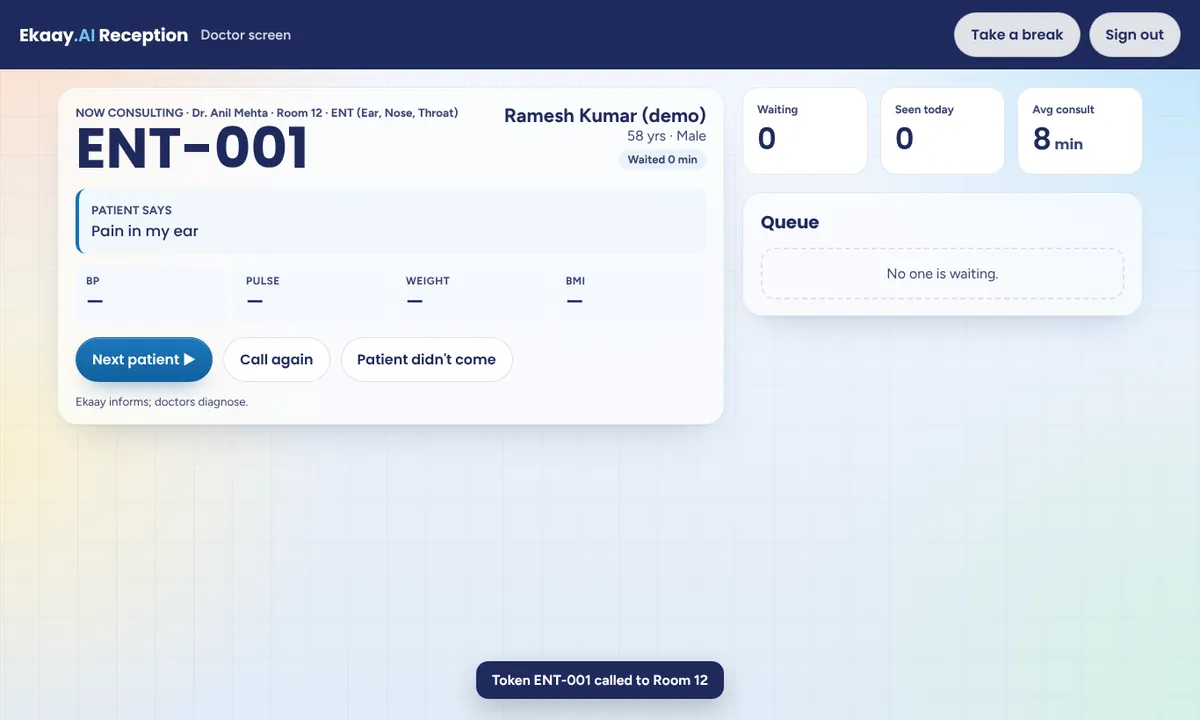 Demo data
Each doctor's queue, and the patient now in the room.
Demo dataThe Token TV in the waiting hall.
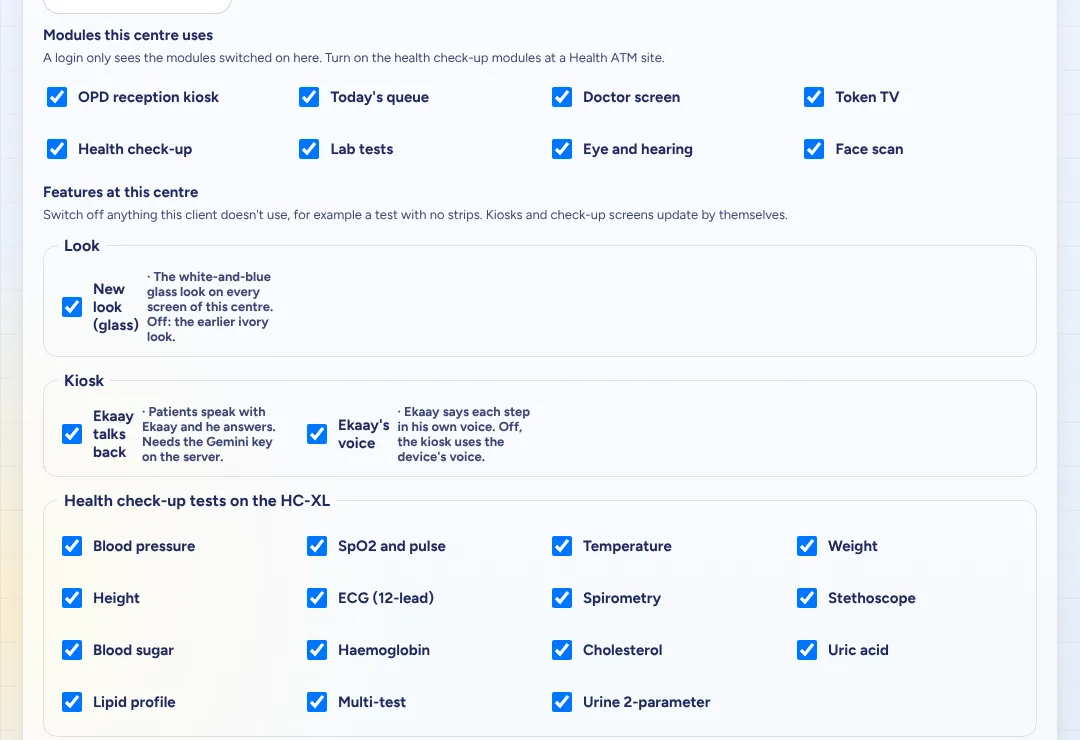 Demo data
Settings: each centre switches modules and features on or off.
Use this list with any vendor, ours included. Each line shows how Ekaay.AI Reception does it.
Tell us your OPD's daily footfall, departments and fees, and we'll propose a set-up for your hospital.
Can't find your answer? Ask our team and we'll reply within one working day.
Software and screens that organise outpatients from registration to the doctor's room: how they register, which doctor they see and when they are called. Ekaay.AI Reception does this with a self-registration kiosk, tokens, the Token TV in the waiting hall and a screen for each doctor.
Each patient gets a token for a doctor at registration. The Token TV in the waiting hall shows each room's running token and announces the next one, and the doctor calls the next patient with a button.
It takes routine registrations off the counter, so your staff can help the patients who need a person. You decide how many counters stay open alongside the kiosks.
No. The mobile number is optional, and the token sticker and the Token TV work for everyone.
Yes. Ekaay suggests a department from what the patient says, and the patient can choose another. Staff can move any waiting token to another doctor. Ekaay informs; doctors decide.
On Cloudspital's servers, hosted in India and aligned with the DPDP Act 2023.
With a pilot. Book a demo and tell us your OPD's daily footfall and departments, and we'll propose a set-up for your hospital.
Sit in good, even light, face the camera and keep still. The camera reads the tiny colour changes in your skin with each heartbeat.
Tips: light in front of you, face straight ahead, no talking or moving for 30 seconds. If you feel unwell, see a doctor.
Your browser, or this preview, blocked camera access. Record a 30-second selfie video instead and we'll analyse it on this device, or watch a demo scan.
For a selfie video: hold the phone at face height, face straight ahead in good light, and stay still for 30 seconds.

 ₹400per month, per person
Find out more about your health. Unlock all 28 readings with HealthMatrix Plus: your medical records are maintained for you, and a doctor is a video call away.
This free scan estimates your heart rate from your camera. It is a wellness estimate, not a medical reading, and must not be used to diagnose or treat any condition. If you feel unwell, see a doctor.
₹400 a month per person. All 28 face-scan readings, more Ekaay.AI answers every day, records maintained for you, doctor consultations and pod screenings.