

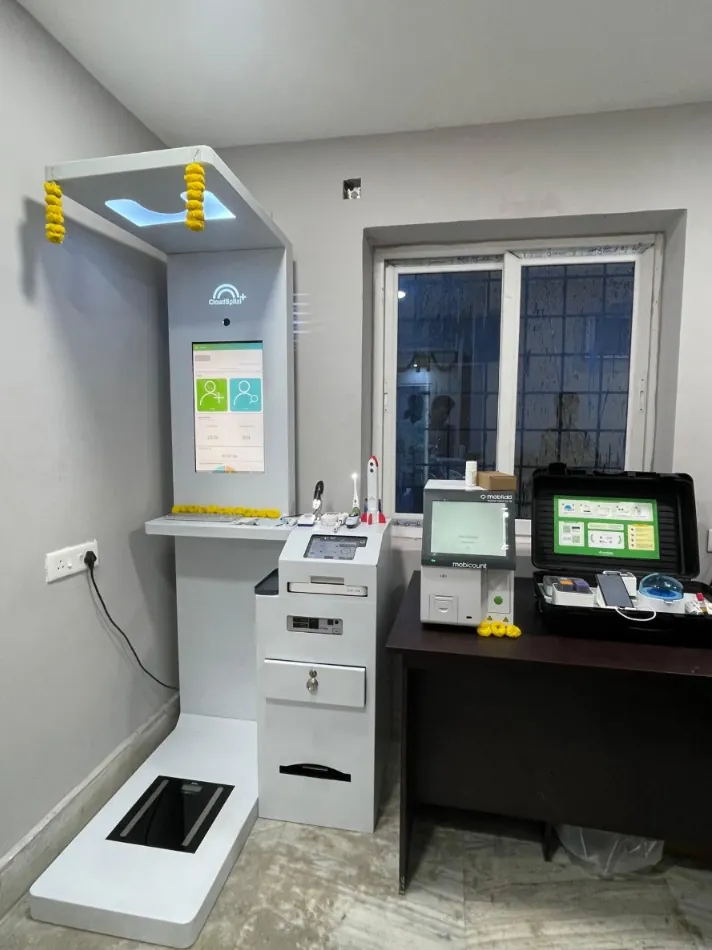
Why service decides whether a kiosk programme works
A health kiosk only helps people on the days it works. If a measuring module fails, the printer jams or the touchscreen stops responding, screening stops and people go home without being checked. They also start to trust the programme less. For a government site, a CSR project or a pharmacy, the five years after installation matter far more than the day it is handed over.
Public health in India has already learned this with hospital equipment. Under the National Health Mission's Biomedical Equipment Management and Maintenance Programme (BEMMP), states mapped lakhs of pieces of equipment in their health facilities. The programme then tied maintenance to uptime targets. NHM lists the main parts of the programme as a 24x7 toll-free number for reporting breakdowns, preventive and corrective maintenance, calibration and user training. That list works well as a template for any health kiosk contract.
- Equipment mapped under BEMMP
- 7,56,750 items in 29,115 facilities (NHSRC)
- Value of mapped equipment
- About Rs 4,564 crore (NHSRC)
- BEMMP uptime target, district hospitals
- 95% (NHSRC)
- BEMMP uptime target, community health centres
- 90% (NHSRC)
What a comprehensive warranty should cover
"Warranty" can mean very different things. A basic warranty may cover only manufacturing defects and post you the replacement parts. A comprehensive on-site warranty should cover parts, labour and engineer visits at your site for the whole term. Ask for the scope in writing, item by item:
- Every built-in device, not just the cabinet: the BP monitor, ECG, pulse oximeter, blood analysers, weighing scale, thermometer and any other module on the test menu.
- The computer, touchscreen, printer, camera, batteries and power supply.
- Software: bug fixes, security updates and any changes needed to keep links such as ABHA working.
- Scheduled preventive maintenance visits, with a checklist and a signed report after each one.
- Calibration and quality checks for measuring devices, as often as the device makers specify.
- Operator training at installation, and again whenever staff change.
- A ticket system, so every fault gets a number and a time stamp.
Check this list against the tests your model actually runs. A kiosk with a CBC or lipid analyser has more parts to look after than an entry model. See Health ATM tests and parameters for what each module measures.
Consumables: the running cost buyers often forget
Many tests use single-use items: test strips, cartridges, reagents, lancets, ECG electrodes and printer paper. Warranties rarely cover them because each test uses them up. A kiosk that works but has no strips is as idle as a broken one.
Plan consumables before you go live
- Estimate how many people will come each day and which tests they are likely to take, then work out how much of each item you will use in a month.
- Check shelf life and storage needs, as some cartridges and reagents need a controlled temperature.
- Agree who orders, who pays and how much stock to keep on site.
- Ask the supplier for a written list of consumables for each test, with delivery lead times.
Running cost depends mainly on which tests people take and how many. Blood tests that use cartridges cost more per test than BP, weight or SpO2 checks. Work through a few scenarios with your supplier before the budget is approved.
Uptime, response and resolution: read the fine print
An uptime figure means little until you know how it is measured. Ask four questions:
- Over what period is it measured? Measuring each quarter is fairer than measuring each day, but a period that is too long can hide one bad month.
- When does the clock start? Ideally when you log the complaint, not when an engineer accepts it.
- What is excluded? Power cuts, internet outages, physical damage and missing consumables are common exclusions, so agree them in writing.
- What happens if the target is missed? NHM's revised BEMMP guidelines, for example, link payment to uptime and provide for substitute equipment.
Keep response time (an engineer calls back or arrives) separate from resolution time (the kiosk is working again). Write both in hours, and name an escalation contact.
Power and internet are usually the site's job. Before installation, check that there is a stable, earthed power point, a UPS or inverter backup, and mobile data or Wi-Fi. Many faults that get blamed on a kiosk actually start with voltage fluctuation.

Common mistakes and how to avoid them
- No one is in charge at the site. Appoint a trained operator and a back-up, and put both names in the contract.
- Some modules are left out. Confirm that every device is covered by the same contract, with one point of contact.
- There are no spares after the warranty ends. Ask in writing how many years spares will be available.
- Data is missing from the contract. Ask where records are hosted, who can see them and how they are handled under the DPDP Act 2023.
- There is no plan for year six. Get the terms for a maintenance contract after the warranty in writing when you buy, not when the warranty runs out.
- Records are scattered. Keep an asset register, a ticket log and preventive maintenance reports in one place. WHO's guidance on computerised maintenance management systems describes this kind of record-keeping as a way to improve how equipment is managed.
For a full list of buying checks, see the Health ATM buyer's guide. If you are buying through the government marketplace, the GeM procurement guide explains how to write service terms into the bid.
How Cloudspital handles service
Cloudspital Health ATMs come with a 5-year comprehensive on-site warranty and a commitment to 95% quarterly uptime. Engineers respond within 24 hours, faults are resolved within 72 hours and spares stay available for 7 years. Delivery takes 10 days and installation 7 days. Units are built at Cloudspital's own facility in Greater Noida, and more than 1,500 are in government installations across India.
The kiosks keep working offline and sync results later, so a weak connection does not stop screening. Data is hosted in India and aligned with the DPDP Act 2023. Kiosks screen and measure, and a doctor reviews the results on video. Cloudspital is a GeM OEM vendor. You can compare the 10 models, from 48 to 170 tests, on the products page.
A checklist before you sign
- List of every covered device, the software and the on-site labour.
- Preventive maintenance schedule and report format.
- Uptime target, how it is measured and what is excluded.
- Response and resolution times in hours, with an escalation contact.
- Consumables list for each test, with lead times.
- Number of years spares will be available, and terms for maintenance after the warranty.
- Data hosting, access rules and operator training plan.
Next step: share this checklist with your shortlisted suppliers and ask each one to answer it in writing. To see Cloudspital's service terms alongside a written quote, book a demo or request a quote.
Sources
- Biomedical Equipment Management and Maintenance Program (BEMMP), National Health Systems Resource Centre
- Biomedical Equipment Management & Maintenance Program, National Health Mission, Ministry of Health and Family Welfare
- Biomedical Equipment Revised Guidelines, National Health Mission, Ministry of Health and Family Welfare
- Computerized maintenance management system, World Health Organization
How this article was made: drafted with AI assistance, checked against the sources above, and read and approved by the Cloudspital team before publishing. It is general information, not medical advice.