
What the OPD registration process involves today
In most Indian hospitals, the OPD registration process begins at a counter. The patient queues and gives their details, and a clerk enters them and hands over a slip. The patient then has to find the right OPD room and wait for their turn. It is the first thing every outpatient goes through, so it shapes how the whole visit feels.
The Indian Public Health Standards (IPHS 2022) set out what good registration looks like. Patients should get a computer-generated OPD registration slip showing the date, their particulars and OPD details. The standards also say a facility should preferably have an electronic or token system for queue management, and a patient calling system with an electronic display. They also call for dedicated counters for women, elderly people and people with disabilities.
Many government hospitals also let patients book ahead through the national Online Registration System (ORS). The patient chooses the state, hospital and department, verifies with an OTP sent to their registered mobile, and prints an appointment slip to bring on the day. Some hospitals, such as SGM Hospital in Delhi, run separate registration queues for men, women, senior citizens and persons with disabilities.
- Join the registration queue
- Give name, age, gender and contact details
- Choose or be directed to a department
- Receive a slip or token
- Find the OPD room and wait to be called
Where the counter process gets stuck
The trouble is volume. Most patients arrive in the morning, and every one of them passes through the same few windows. In a 2024 audit of health facilities in Maharashtra, the Comptroller and Auditor General (CAG) used a norm of 120 patients per registration counter per day. In seven of the facilities it checked, each counter was handling more than 240.
- Norm used in the CAG audit
- 120 patients per counter per day (CAG, Maharashtra, 2024)
- Audited facilities above 240 patients per counter per day
- 7 (CAG, Maharashtra, 2024)
- Minimum space per registration counter
- 15 sq m (IPHS 2022)
Some of the strain is built into how counters work:
- The clerk asks the same questions hundreds of times a day.
- The counter doubles as the enquiry desk, so each question from a patient slows the line.
- Patients rarely know which doctor in a department has the shorter queue.
- Paper slips get lost, and handwritten details can be hard to read.
The kiosk OPD registration process, screen by screen
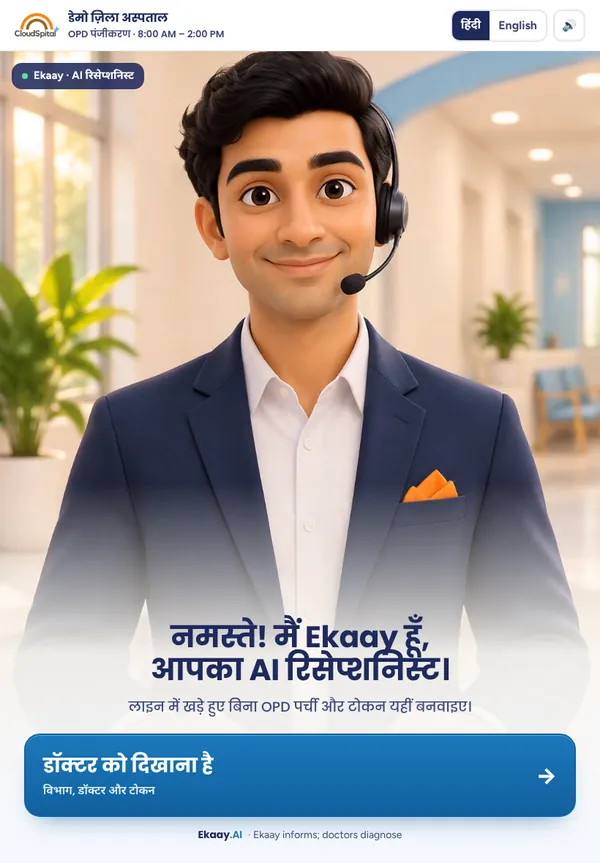
A self-service kiosk splits the counter's work into short steps the patient completes alone. Here is the flow on Ekaay.AI Reception, Cloudspital's OPD registration kiosk. The step-by-step guide to how the OPD registration kiosk works shows every screen.
- Welcome. The kiosk greets the patient and works in Hindi or English.
- Department. The patient chooses the department they need.
- Details. The patient types their name, age and gender. A mobile number is optional.
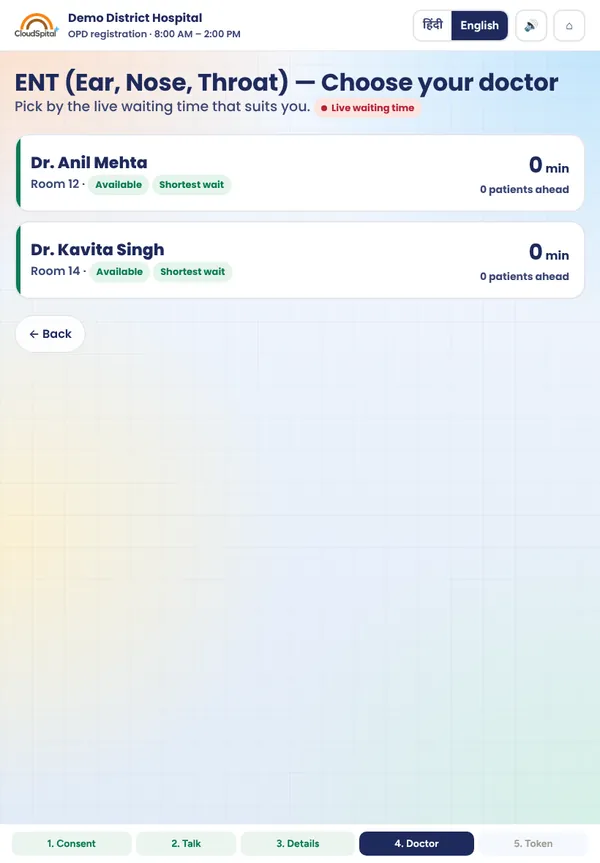
- Doctor. The kiosk lists the department's doctors with their live waiting times, and the patient picks one.
- Token. The kiosk prints a token sticker, which the patient sticks into their OPD booklet.
The kiosk screens shown on this page are screenshots with demo data, not real patients' details.
There are no forms to fill in and no slips to lose. The sticker goes straight into the booklet the patient already carries.
 Demo data
After the token: Token TV and the doctor's queue
Registration only helps if the queue that follows is clear. A Token TV in the waiting hall shows each token and announces it, so patients don't have to crowd around the doctor's door. Each doctor has a queue screen that shows who is waiting and lets them call the next patient.
Plans change during a clinic. A doctor may be called to a ward, or one room may fall behind. Staff can move any waiting token to another doctor, so patients aren't stuck in a queue that has stopped moving. Our guide to hospital token systems and OPD queue management covers the Token TV and the doctors' queues in more detail.
How to make kiosk registration work in your OPD
A kiosk is a tool, not a whole system. These practical steps help it fit the way your hospital already runs:
- Place it before the counters, near the entrance, so that patients reach it before they join a queue.
- Keep a staffed counter for patients who prefer help or cannot use a screen. This also fits the IPHS call for dedicated counters for women, elderly people and people with disabilities.
- Put a helper on the floor during the morning rush to guide first-time users.
- Update rosters every morning so the doctor list and waiting times match who is actually sitting in each room.
- Keep sticker rolls stocked and give one person the job of checking them.
- Put up signs in Hindi and English so patients know they have a choice of kiosk or counter.
- Train staff to move tokens when a doctor leaves or a room falls behind.
The kiosk is not for emergencies. Anyone with chest pain, breathing difficulty, heavy bleeding or a serious injury should go straight to the emergency department. Outside hospital, call 112 or 108.
Where Cloudspital fits
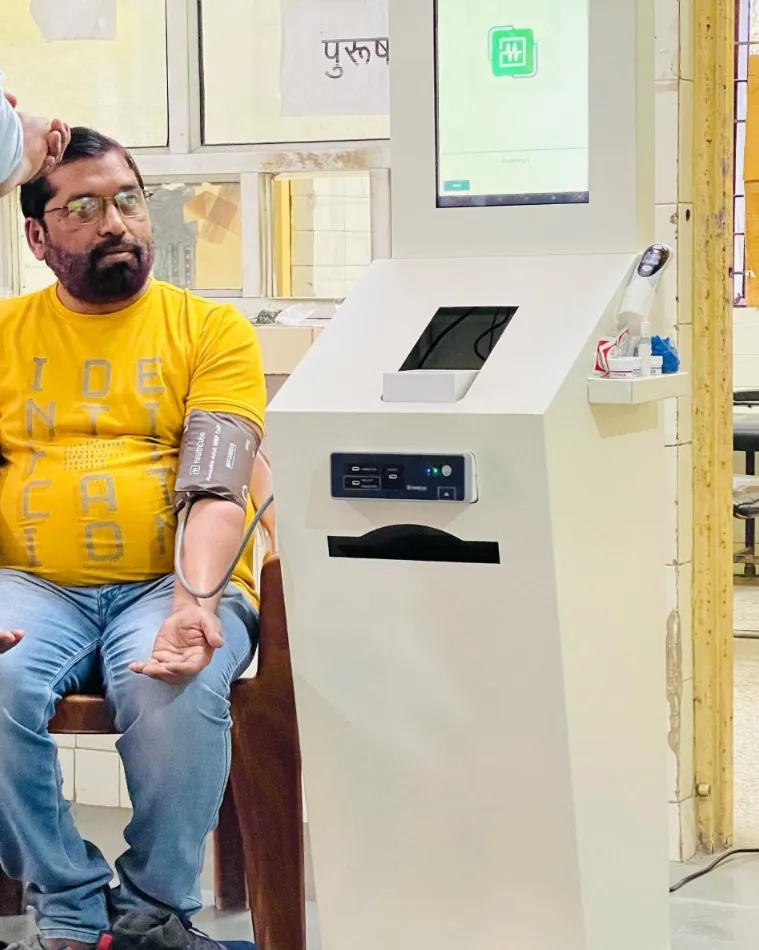
Cloudspital makes Ekaay.AI Reception, an AI receptionist kiosk for hospital OPD registration. It follows the flow above, from welcome screen to token sticker, and works with the Token TV and the doctors' queue screens. Pilots are open for hospitals that want to try it in their own OPD.
It is one part of the Cloudspital platform, alongside Cloudspital's Health ATMs. Cloudspital makes its kiosks at its own facility in Greater Noida, Uttar Pradesh.
Next step: first map your current OPD registration process. Note your peak hours, how many counters you open and where patients get lost. Then go through the kiosk's registration screens with your OPD in-charge, and book a demo or ask about a pilot. You can also request a written quote there.
Sources
- Indian Public Health Standards 2022: Health and Wellness Centre – Primary Health Centre, National Health Systems Resource Centre, Ministry of Health and Family Welfare
- ORS Patient Portal: Frequently asked questions, Online Registration System, Government of India
- Chapter 3: Healthcare Services (audit report, 2024), Comptroller and Auditor General of India
- Online OPD Registration, Sanjay Gandhi Memorial Hospital, Government of NCT of Delhi
How this article was made: drafted with AI assistance, checked against the sources above, and read and approved by the Cloudspital team before publishing. It is general information, not medical advice.